 GTM Kit
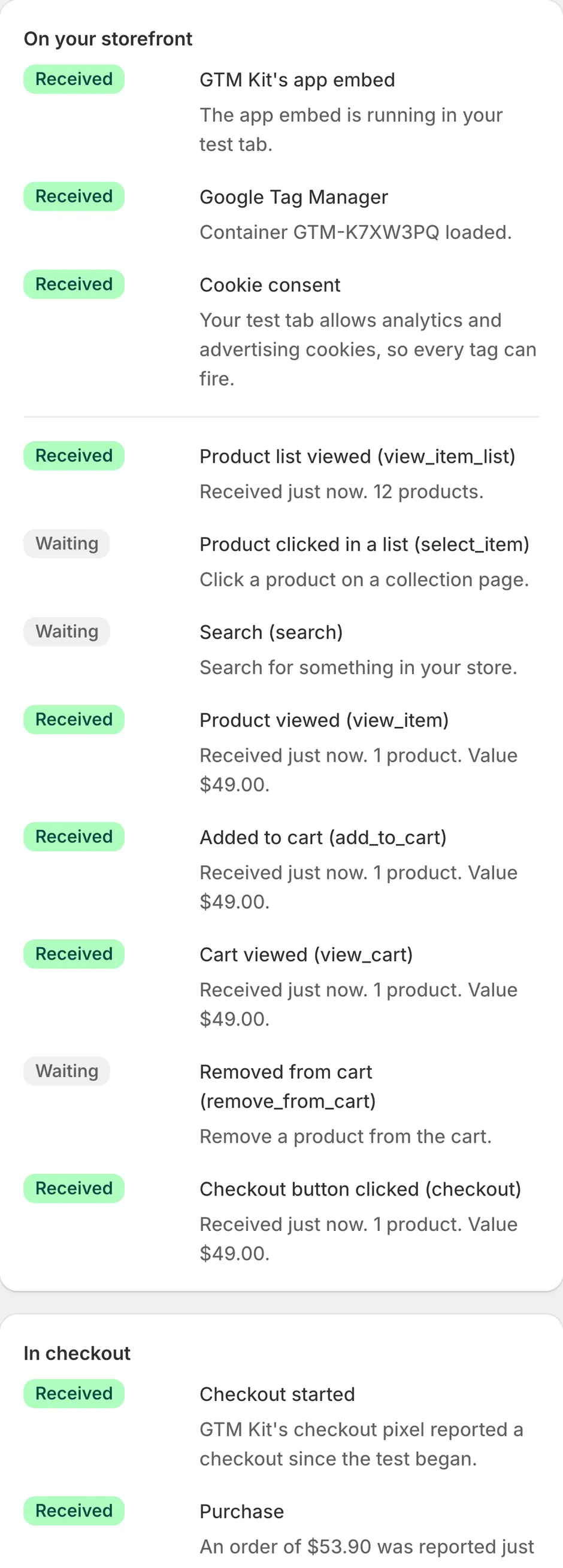
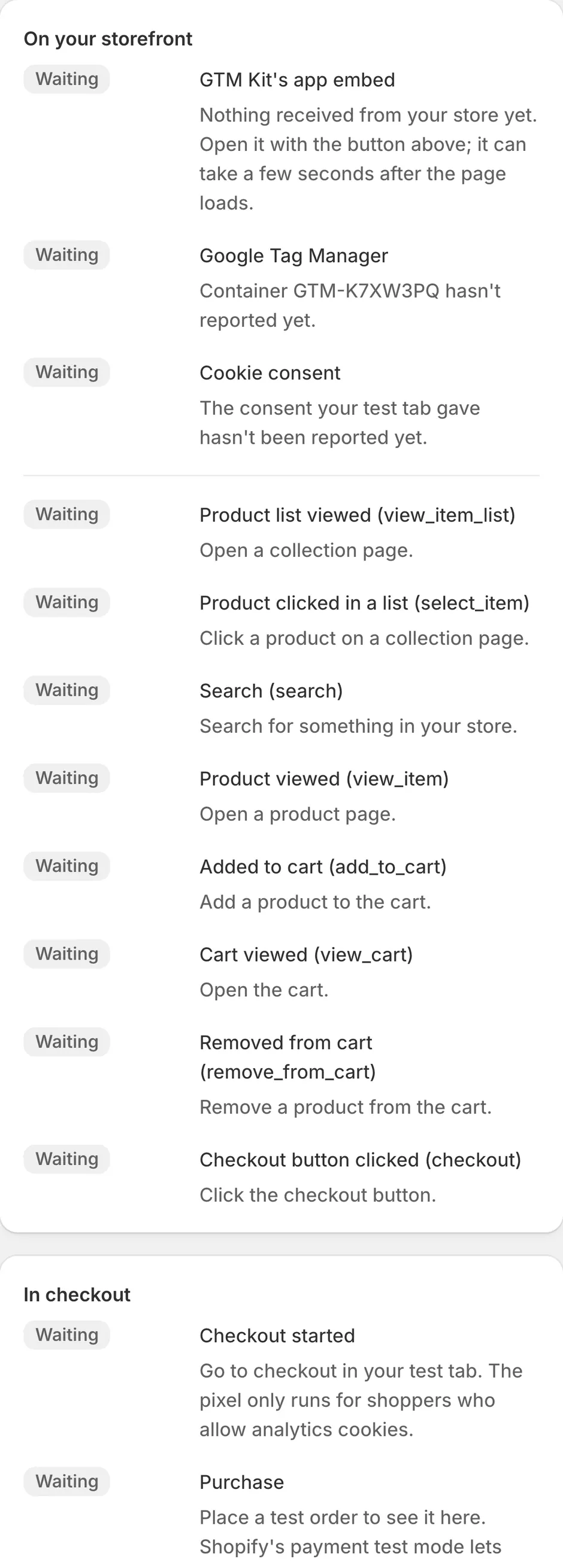
Click in your store. Watch it turn green.
Google Tag Manager, GA4 and Google Ads tracking for Shopify. No theme code.
- 7-day free trial
- No theme code
- $5.99 a month, flat
- Read the reviews
How it works
Four steps. About ten minutes.
- {1}Paste your GTM container ID
- {2}Turn on the app embed
- {3}Turn on checkout tracking
- {4}Import your tags into GTM
Then the live test shows every event arriving.


Server-side tracking
Browser tag blocked? The purchase still arrives.
With server-side tracking on, GTM Kit's checkout pixel also sends each purchase to GA4 through GTM Kit's server.
Browser tag only
With GTM Kit
GA4 purchases, for shoppers who allowed analytics cookies. Counted once, by order ID.


Pricing
One flat price. No order limits.
USD a month. 7-day free trial. Billed by Shopify.
- Google Tag Manager on every storefront page
- Nine shopping events in GA4's format
- Tags template for seven platforms
- Live test, purchase log and server-side GA4
- Help by email and in-app chat
FAQ
Quick answers.
How do I add Google Tag Manager to Shopify?
Install GTM Kit, paste your GTM container ID (it looks like GTM-XXXXXXX) and switch on the GTM app embed in your theme editor. Google Tag Manager then loads on every page of your store, with no theme code.
Do I need to code?
No. Paste your GTM ID, switch on the app embed and import the template. For tags in checkout you copy one script into Settings, Customer events; the app shows you where.
What do I need first?
A free Google Tag Manager account with a web container.
Which events does GTM Kit send?
Nine, in GA4's ecommerce format: view_item_list, select_item, search, view_item, add_to_cart, remove_from_cart, view_cart, checkout and purchase. The ones in Shopify's checkout come through the custom pixel script the app gives you.
Do my tags fire in checkout?
With the custom pixel script, yes. Google Ads, Facebook and other purchase tags need it; GA4 purchases can also come from the server.
Can GA4 get purchases when the browser tag is blocked?
Yes, with server-side tracking on. GTM Kit's checkout pixel reports each purchase to GTM Kit's server, which sends it to Google Analytics, for shoppers who allowed analytics cookies. Google counts a purchase once, even when the browser reports it too.
Will it slow my store?
GTM Kit's storefront script is under 10 KB and loads GTM after the page has loaded. Your own tags add what they add.
What does it store?
Your settings, daily counts, and for 10 days the ID, value and consent choice of each tracked order. No customer names, emails or addresses. See the privacy policy.
Meta or TikTok from the server?
Use our app Pixelfy. GTM Kit is built around Google; their browser tags are in its template.
How do I cancel?
Uninstall the app in Settings, Apps. That cancels the plan.
Click in your store. Watch it turn green.
$5.99 a month, 7-day free trial